Make the systems of record work. Automate the handoffs. Put AI in the loop with a person keeping the decision. Build the tool when it does not exist. Sixteen examples below, each as the problem, what I built, and what it looked like. Companies are described, not named.
Core marketing ops
The systems of record, set up so people stop working around them.
Event requests into Jira and Asana
Problem
The events team fielded about ten event requests a week, almost all by email from reps and partners, with no control over the format or the tech stack the requests came from. Every one had to exist in the ticketing system, so the team spent hours reading threads and retyping them, then chasing the sender for whatever was missing.
Build
A script watches a folder. Drop the email in and it reads the thread, pulls out the fields, creates the required record and the Asana tasks with eleven fields already filled. If the request is missing information, it sends the requester an email asking the specific questions and holds the record open. When the answer or any new information shows up, drop it in the same folder and the script finds the matching event and updates only what changed.
Marketing requests into RevOps
Problem
Marketing worked in Asana and RevOps worked in Jira. Requests were retyped by hand, half arrived without the detail RevOps needed to act, and nobody in marketing could see progress once a ticket was in flight.
Build
Assigning a Marketing Ops task hands it to a task agent connected to Claude that pulls the full context of the project, the parent task, the linked docs, and the comments, into a properly written Jira ticket. When the context is not there, it assigns a needs context subtask back to the requester instead of filing a thin ticket. The sync runs both ways after that, so status, priority, and work progress on the Jira side show up on the Asana task, and updates on the Asana side land on the ticket.
Account scoring and tiering
Problem
Target lists were built by gut feel or by whichever vendor tag happened to be populated. Paid audiences inherited the same noise, so budget went to accounts nobody had actually qualified and the reps could not say why an account was on the list.
Build
At a public safety software company, a composite fit score across every agency in the national registry, weighing opportunity in the state, agency size, investigative complexity, specialty units, and agency type, rolled into four tiers and an addressability flag. At a wire fraud protection SaaS, an audit of the CRM segment formula against a vendor AI score showed the paid audience's strategic tag came almost entirely from one enrichment source, so the LinkedIn target lists were rebuilt from the audit. The features are weighted in the open, so a rep can argue with a tier instead of a black box, and the same model later synced tiers to CRM properties as a product.
Competitive landing pages from closed-won data
Problem
Paid search was bidding on competitor names and sending every click to the homepage. Comparison pages did not exist, and the team disagreed about how direct the tone should be, so nothing shipped.
Build
Researched why deals were won against each competitor in the CRM's closed won notes, then built three pages from that research, a direct comparison, a subtle one, and an above the fold refresh, and recorded a walkthrough for legal and brand review. A paid CMS template wired to the Webflow MCP means new variants are a prompt away. UTM parameters were pushed through Meta and Google into the form so the funnel can prove which page produced the meeting, and a conversion leak was traced to a sitelink pointing at a legacy page. Two value add PDFs run as document ads on the same funnel.
Marketing ops with automation
Triggers and syncs between the systems you already own.
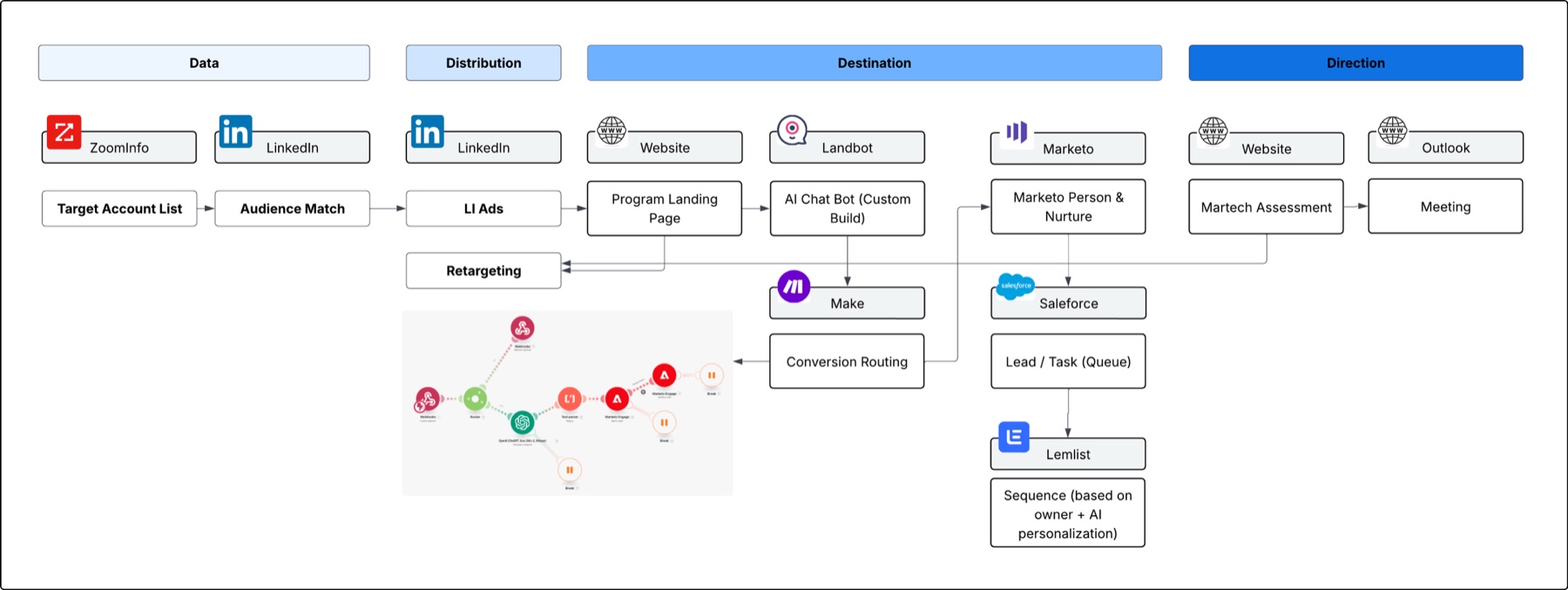
Assessment chatbot into Marketo, Salesforce, and Lemlist
Problem
A target list of 140 accounts on Marketo needed a reason to engage beyond a whitepaper, and reps needed owned, warm leads without hand routing.
Build
A chatbot on the landing page collects each visitor's custom inputs and adapts its questions as they answer. The submission becomes a light audit, a personalized write up of gaps and next steps, creates or updates the Marketo person, delivers the audit by email, moves status to MQL, and starts a two email nurture following up on the assessment. In parallel the lead syncs to Salesforce, gets an owner, and is enrolled in that owner's Lemlist sequence with copy personalized from the same answers and with research on the contact and company done by a research agent before the first touch. People still own the send. Status is tracked on both sides.
Metabase product data into HubSpot
Problem
Product usage lived in Metabase. The CRM got a hand built CSV once a week, so sales outreach, lifecycle emails, and account health all ran on stale and sometimes mismapped data.
Build
Saved Metabase cards are queried on a schedule and written to HubSpot as product properties on both the contact and the company, matched on a user id so reruns update instead of duplicate. Those properties feed three motions. Trial accounts get scored and routed to BDRs as an activation priority list with outreach prompts. Product marketing runs lifecycle emails off them, a nudge when someone never finishes the tour, another when they have not uploaded data, an upgrade prompt at a usage threshold. Paid accounts sync back into notifications for the account team and a paid health score.
Account health from Slack
Problem
Checking an account's health meant a BI login and knowing the right saved question. Most people never looked.
Build
A Slack command takes an email or an org name, runs the same BI queries, and posts back a chart with a plain language summary. Users, activity over 45 days, activation waves, and the score with the reasons behind it.
Voice notes to CRM and drafted follow ups
Problem
Event follow up died in the gap between the booth conversation and the laptop. Notes were lost, contacts never got created, and the follow up email went out days late or not at all.
Build
A rep records a voice note on their phone after the conversation. The note is transcribed, the model identifies the event from the events list, finds or creates the contact in the CRM, appends the notes, and writes a personalized follow up straight into the rep's Gmail drafts for a one tap send. It ran against both a CRM and a shared spreadsheet as the system of record. Nothing is sent without the rep, the draft is the checkpoint.
Marketing ops with AI in the loop
A model handles the judgment step and a person keeps the decision.
Paid media inside Claude
Problem
Multiple paid platforms, an internal team that was not technical enough to run them, and an agency being paid mostly to click buttons. Nobody in house could answer what was live, what was pacing, or what to change without waiting on a report.
Build
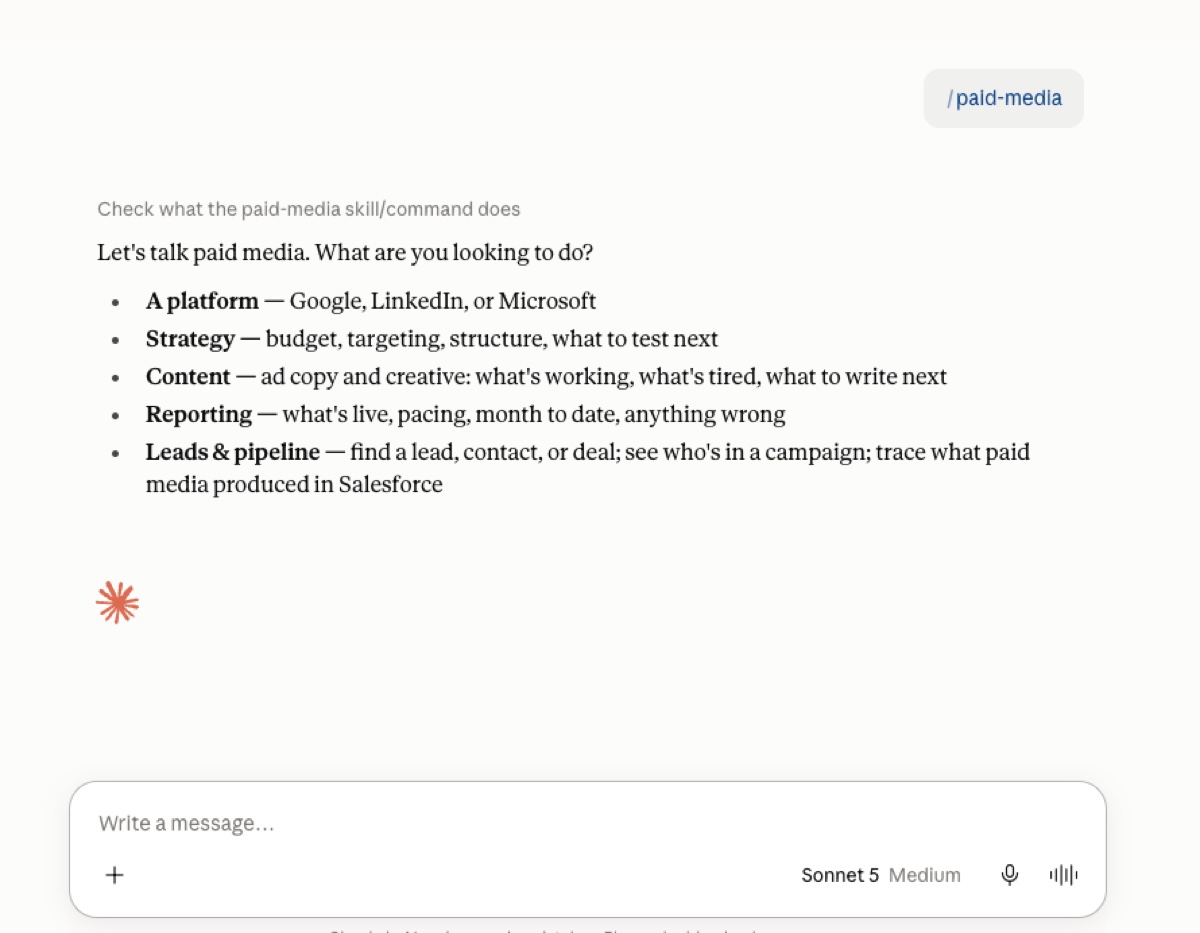
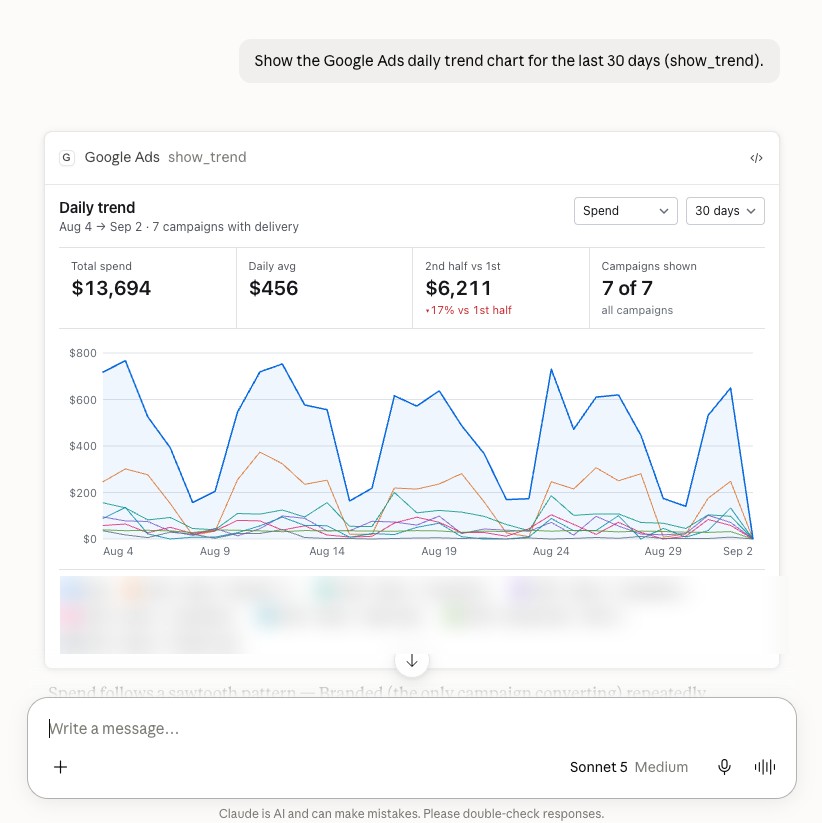
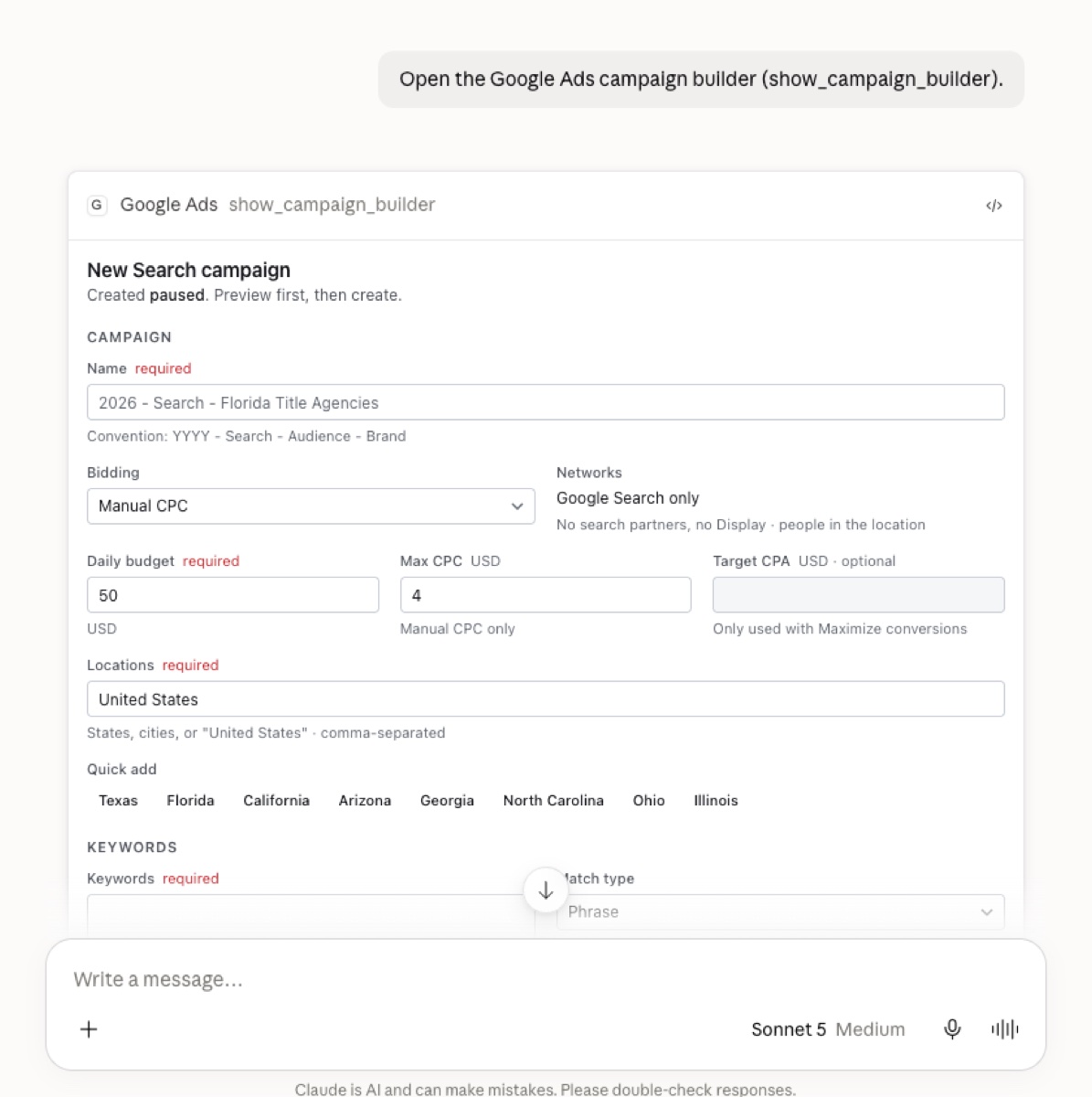
Three production MCP servers connect Google, LinkedIn, and Microsoft Ads to Claude with each user's own credentials, and a skill agent carries learned playbooks on ad strategy plus the company context. The team can ask for strategy, a budget shift, an audience change, or new copy, and the same agent does the technical work, building and deploying the campaigns directly from the chat. Interactive cards render live dashboards, trends, search terms with one click negatives, and a campaign builder. Anything created starts paused and bulk changes default to a dry run. The same connectors run an automated play, where a new fraud report from the recovery team in a region triggers Google Ads and LinkedIn campaigns targeted to that metro within a day or two.
Content bot in Slack
Problem
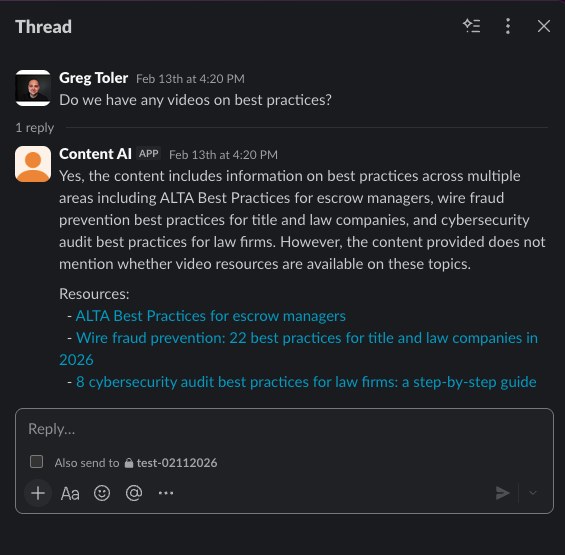
Marketing had produced hundreds of articles, guides, and videos. Sales could not find them, so they asked in Slack and waited, or sent nothing.
Build
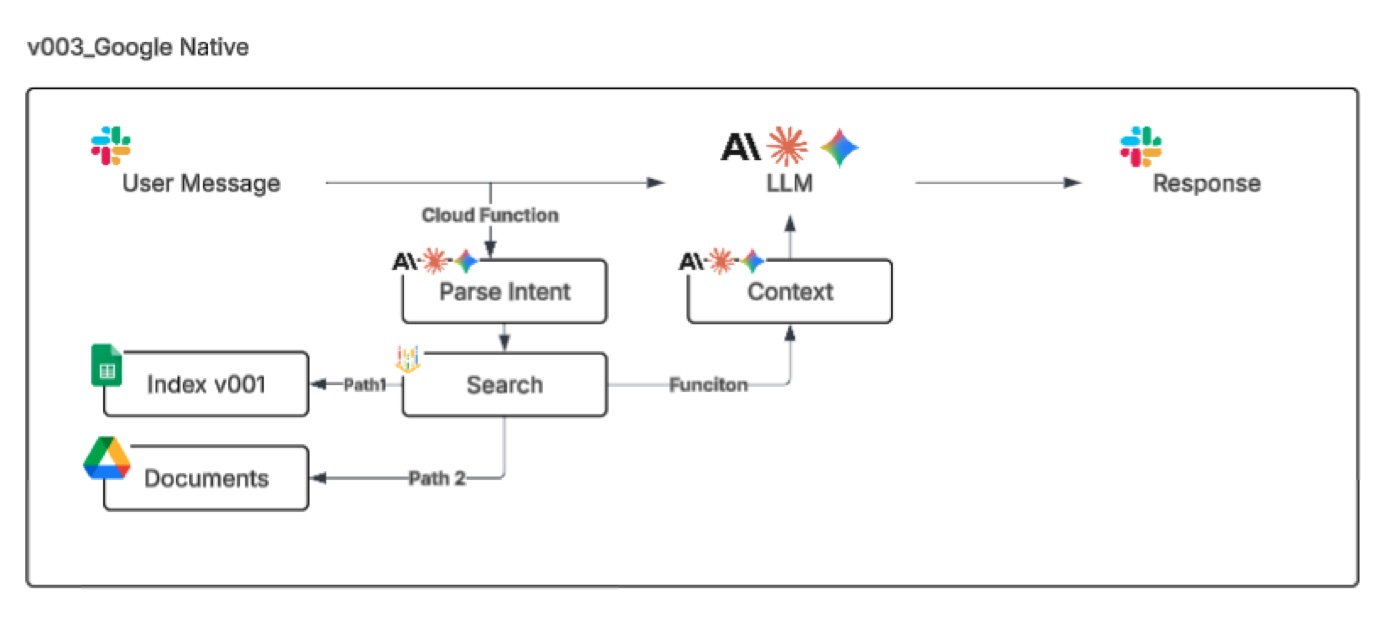
A content repository was assembled and indexed, then wired to a retrieval layer and a model behind a Slack app. A rep asks a plain question and the bot answers from approved content, says when the library does not cover something, and lists the exact pieces to share. Three architectures were costed and the Google native one fit the environment and shipped.
Venue research agent for customer events
Problem
A customer marketer runs customer events every month, and the plan changes late based on where sales is, which conferences are nearby, and who is in town. Every change meant starting venue research from scratch.
Build
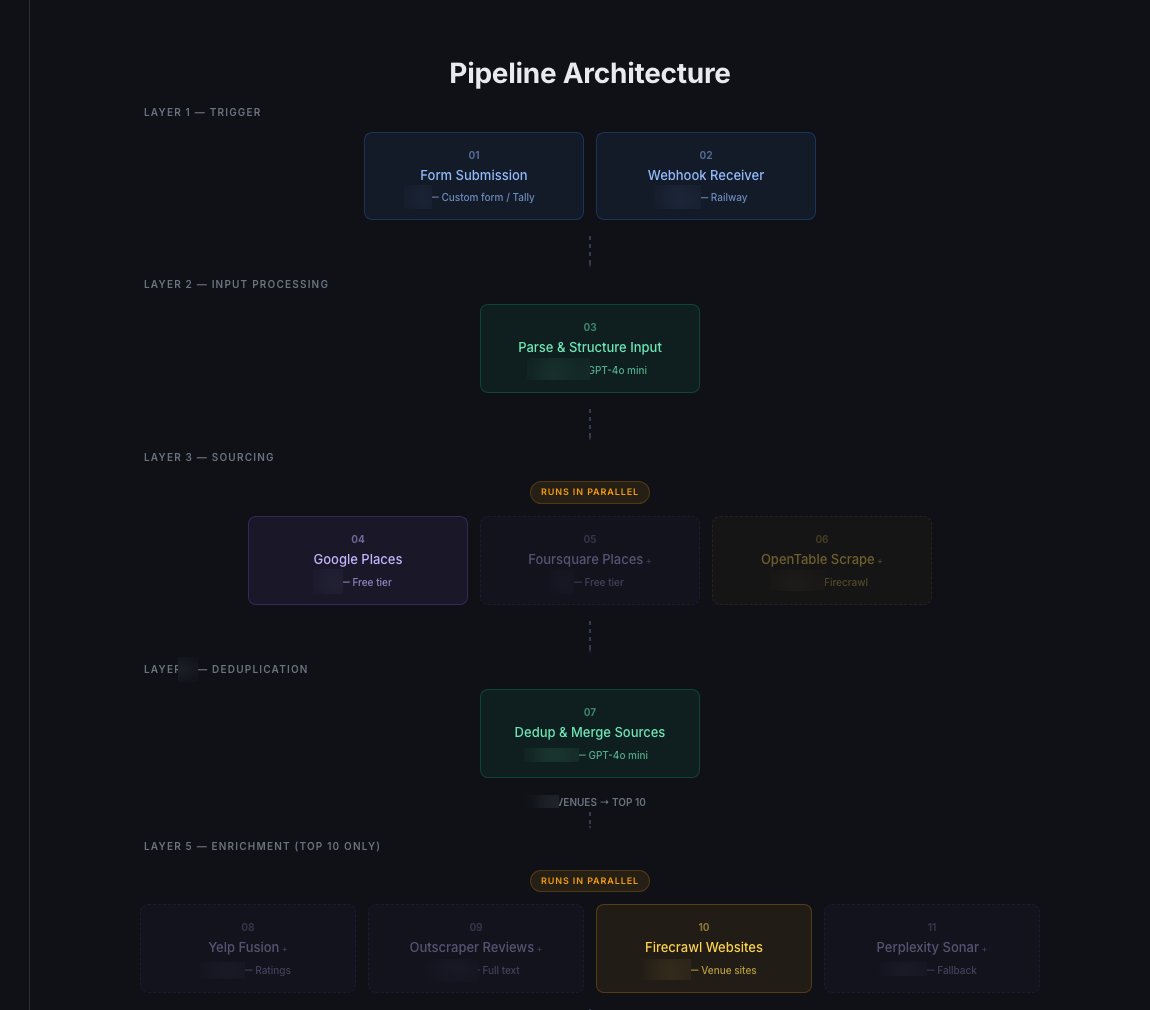
He submits a location and the criteria, headcount, type of space, what it needs to be used for, budget tier, and an agent researches restaurants and venues across several sources, dedupes them, enriches the top candidates with reviews and private dining details, and scores them against his criteria into a ranked shortlist with outreach drafted. Every run adds to a venue database, so the next event in the same city starts from vetted places. He can chat with it or submit a new request and it rescores what is already there against the new criteria. Each event and the venue chosen sync back to custom event objects in Salesforce, so the event history sits with the accounts that attended.
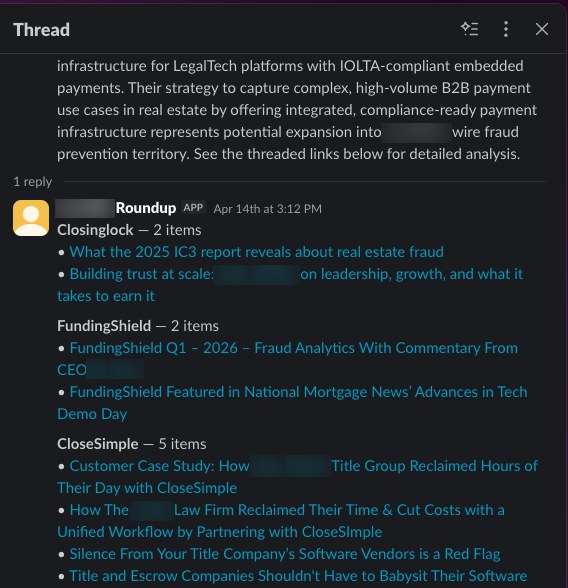
Weekly competitor roundup
Problem
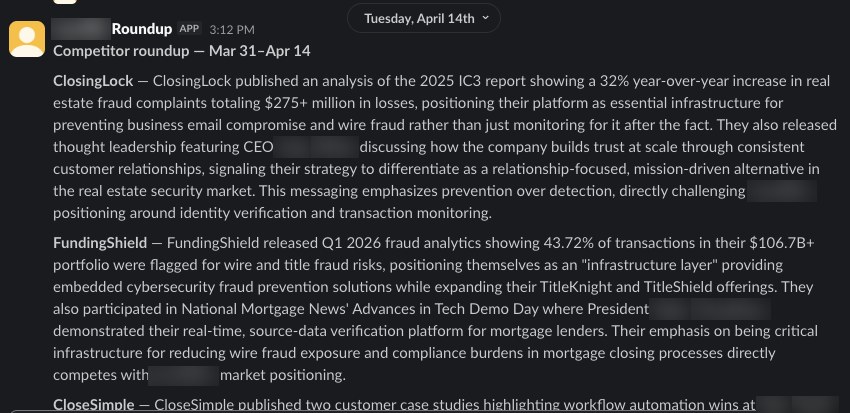
Competitor launches, pricing changes, and industry news surfaced by accident, usually because a rep happened to see a post.
Build
A scheduled service discovers new competitor pages, fetches them with a headless browser, classifies each with a small model, summarizes the survivors with a stronger one, and posts what changed and why it matters with every source threaded underneath. Sources and cadence live in a config table and a run costs about eleven cents.
Discovery calls into help center and website drafts
Problem
The website and help center were written from the inside out. The questions prospects actually asked on calls never reached the people writing the pages.
Build
Call audio is pulled and transcribed. An agent extracts the questions and objections raised, checks each one against the content index the Slack bot uses, and keeps the ones the library cannot answer. For each gap it drafts a help center article straight into Confluence and website copy as a Webflow CMS item, then opens an Asana review task so a person approves before anything publishes.
Custom tools
Dashboards and apps built for the exact question, owned by the team.
Custom dashboards across systems that do not report together
Problem
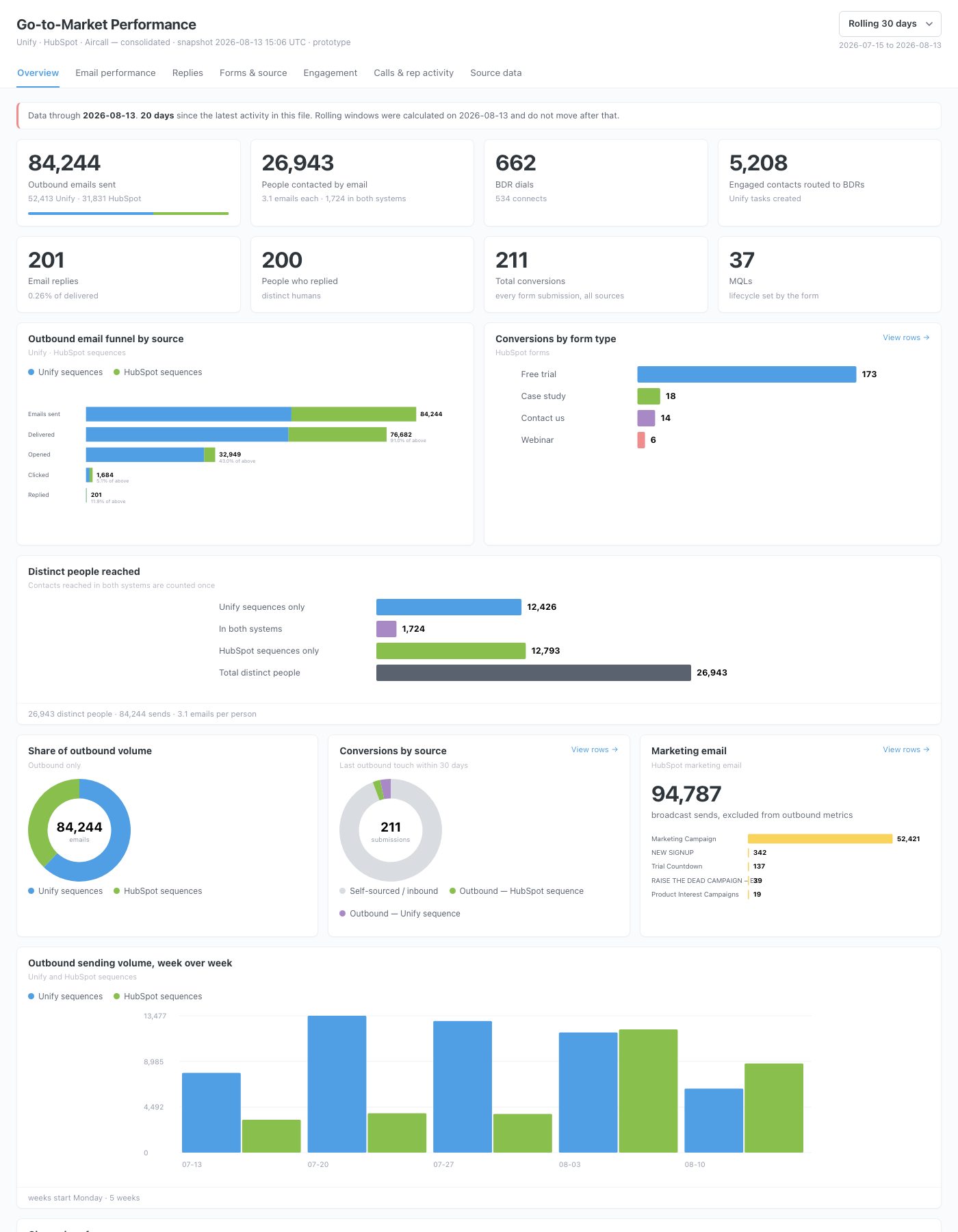
The CRM, the marketing automation tool, the outbound sequencing tool, the phone system, and the work management tool each reported on themselves. None agreed on who had been contacted, which form fill became a meeting, or what happened after. Answering a simple question meant three exports and a document.
Build
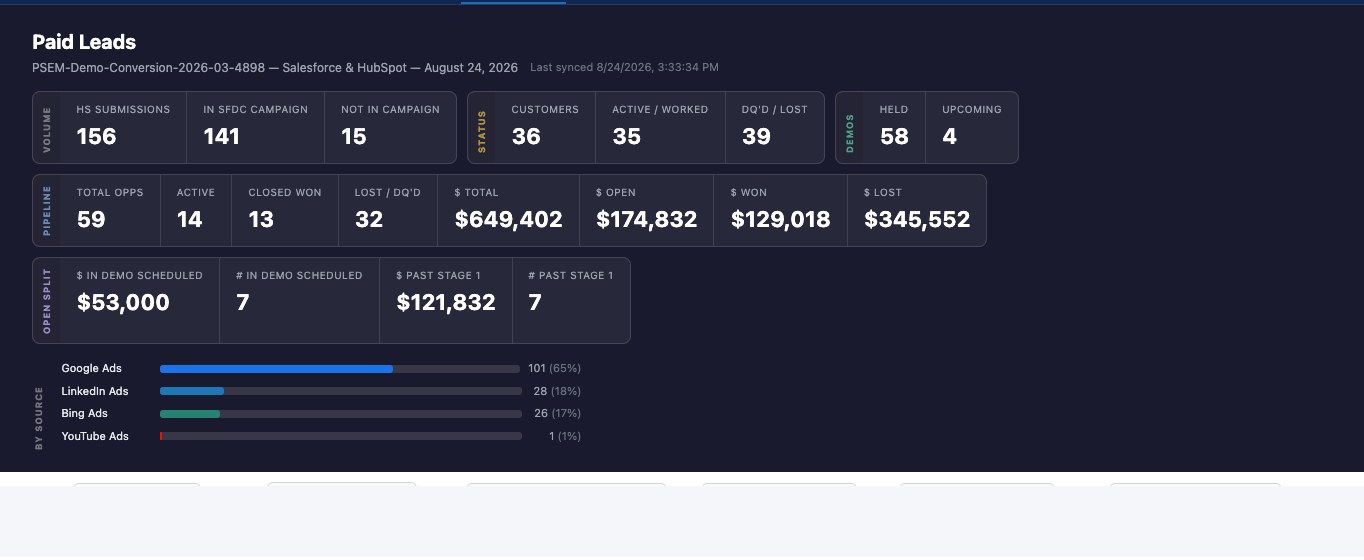
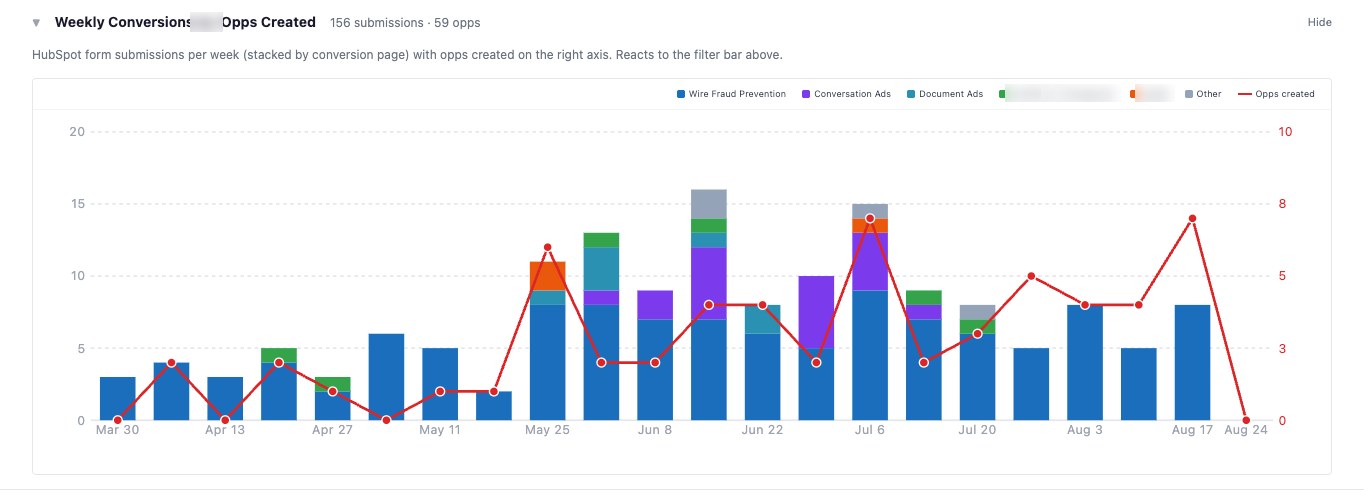
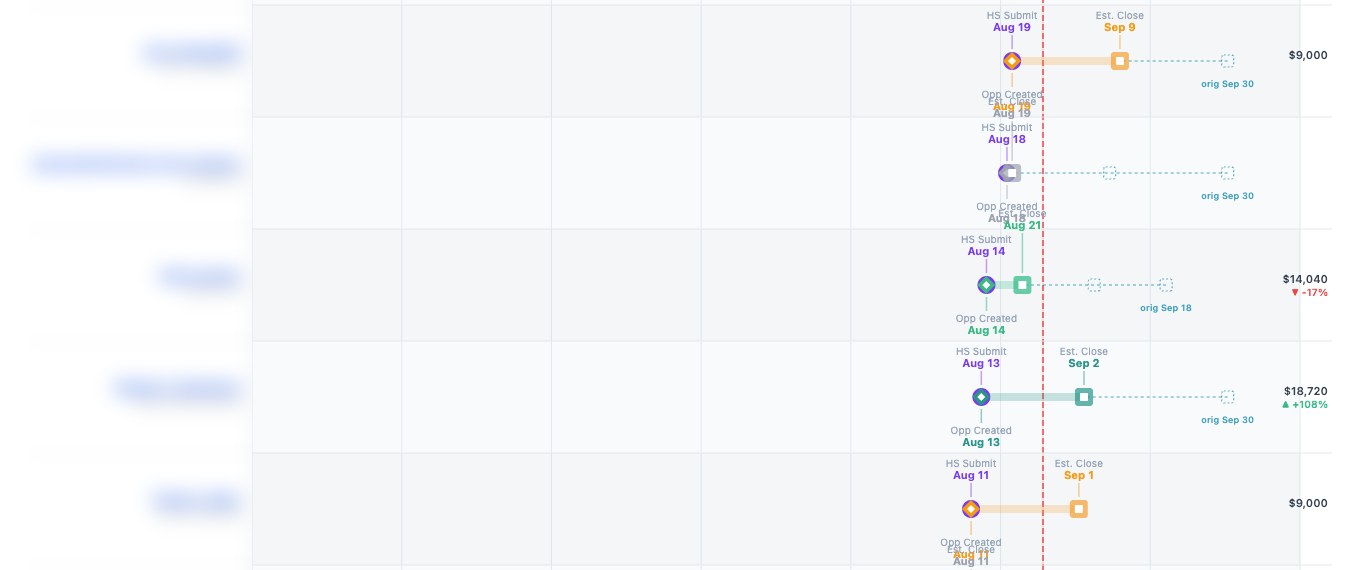
Read only pulls from every source land in one place, joined on the person and the account, so a contact reached three ways counts once and a paid lead's path from submission to opportunity to close is one row. From that model I build the dashboard the team actually needs. For demand gen, a web app with pipeline generated from paid leads, weekly conversions against opportunities by landing page, and a per lead timeline with slips flagged. For go to market, a self contained HTML file a non technical team refreshes with a double click. Once the model held, the schema was promoted to a hosted database and mapped into Metabase so the full funnel is reported without a script.
Account map
Problem
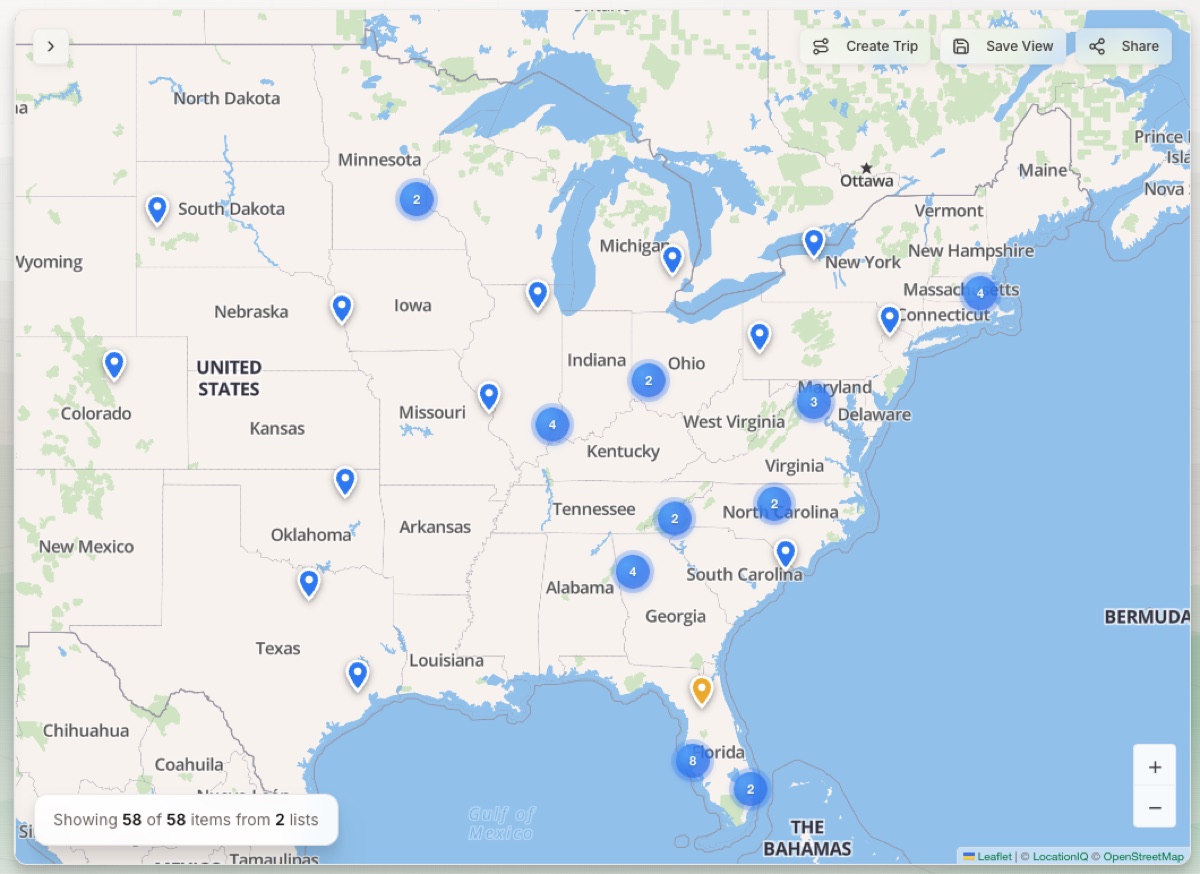
There was no mapping tool. The customer, sales, and marketing teams could not see which customers, prospects, and events sat near each other, so territory and event decisions came out of spreadsheets and guesswork, or someone hand typing zip codes and cities into report filters.
Build
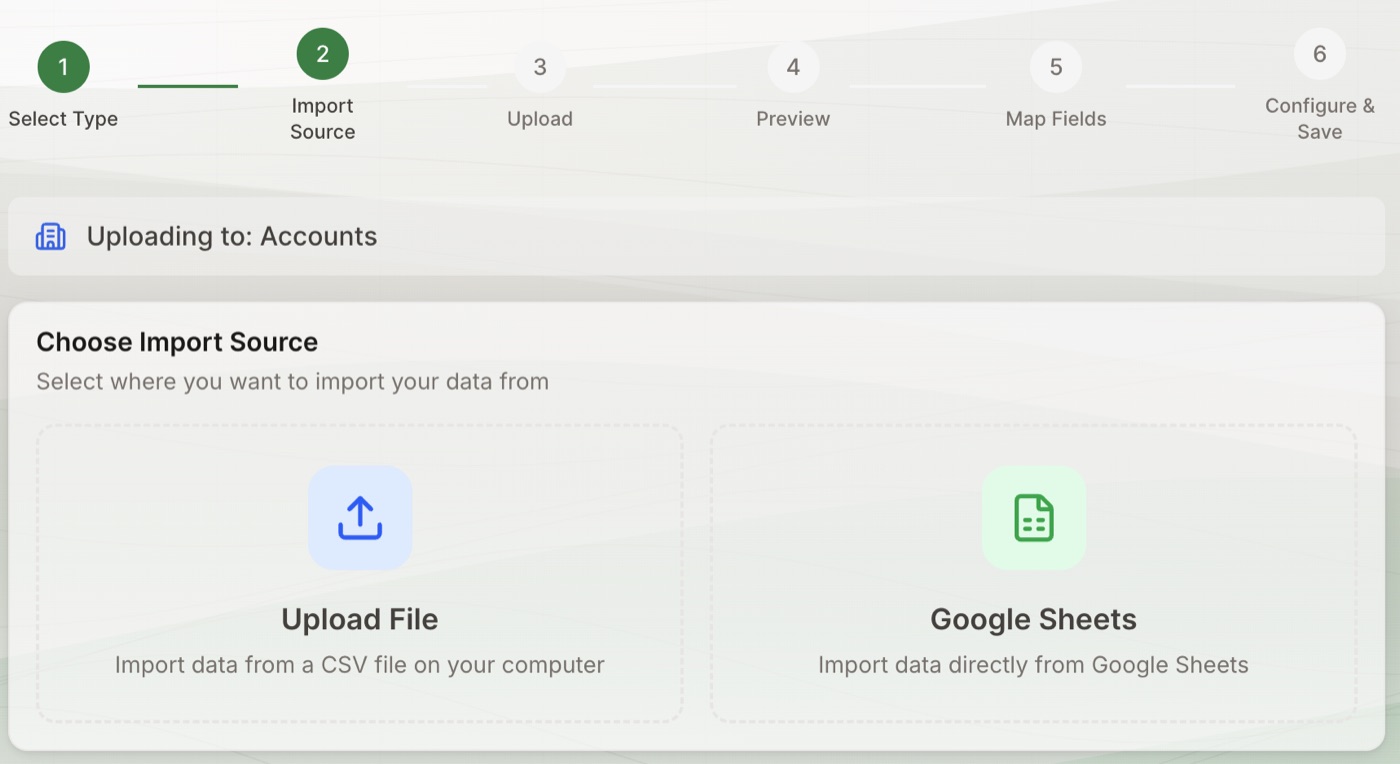
A custom internal mapping tool. Upload a list or sync directly from Salesforce or Google Sheets, geocode in batch, and see every list on one map with filters, territories, trips, and shareable views. It answers which accounts are within reach of a customer visit or a conference before the trip is booked, without anyone maintaining city or zip code rules in a report.
Research agents for a newsletter and tool directory
Problem
A tool consolidation company published a weekly newsletter and research on go to market tools. Two founders were doing the research and the writing by hand, which left little time for sales, customers, and events.
Build
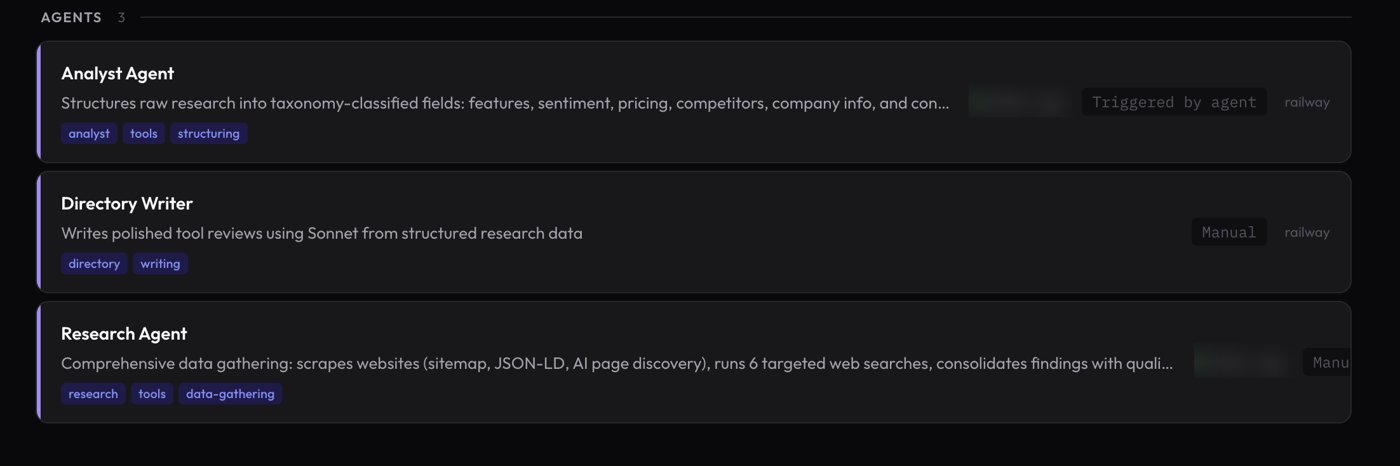
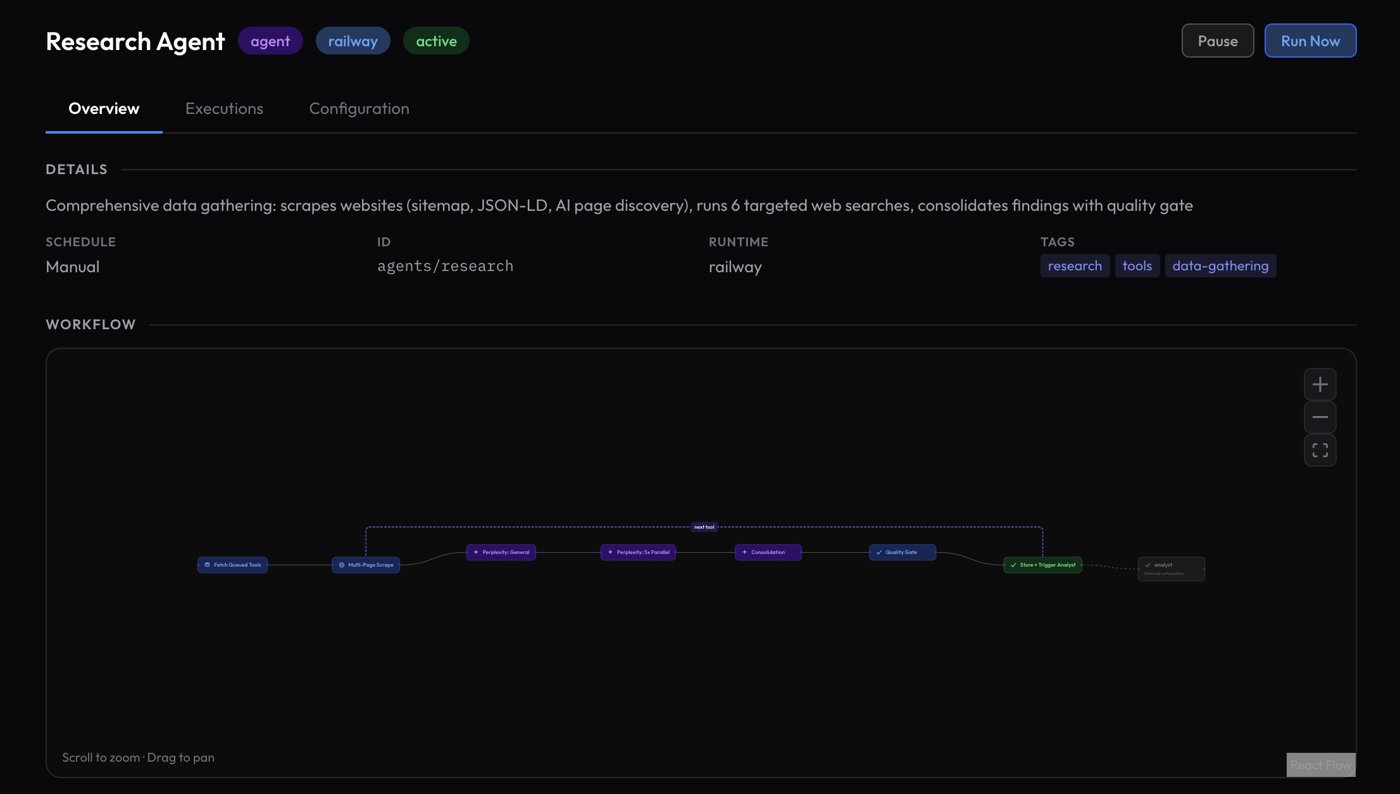
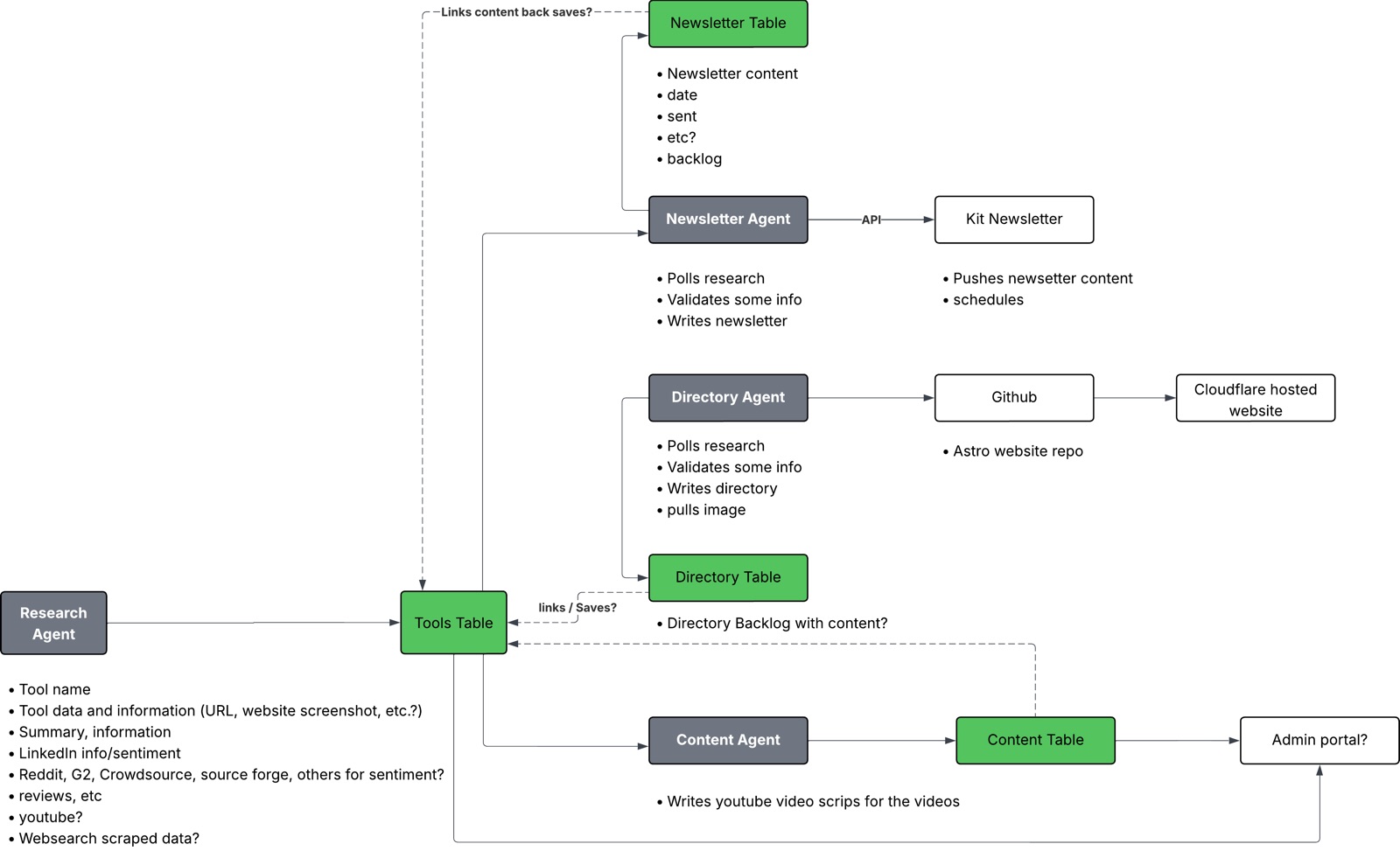
A set of agents on Railway behind an orchestrator does the research and the writing at scale. A research agent scrapes a tool's site and runs six searches in parallel behind a quality gate, an analyst agent structures the findings and checks them for hallucinations, and a directory writer publishes the review. A newsletter agent picks the week's topic, writes with live search, and drafts the broadcast for approval. Every run is logged, and the founders review rather than write. The same chain was pointed at a company newsletter and a partner newsletter with only the topics and the list changed.